Image Size for AI Processing
Having used the software for a while now, I have started to pick up a few app-specific insights. One of the most useful has been around image size and AI processing.
When working with AI tools, larger full-resolution images naturally take longer to process than smaller, downscaled versions. Because of that, it can be tempting to reduce an image to the final size you need before running it through the AI.
Don’t do that.
AI object detection works best when it has as much detail as possible to work with. A full-resolution image gives the AI more information about edges, textures, shapes and surrounding context. That extra detail can make the difference between a clean result and one that simply does not work.
For example, I recently ran into this with an image where I wanted to erase a rope. When I tried processing a smaller version of the image, the AI struggled to detect and remove it properly. The result was inconsistent and not usable.
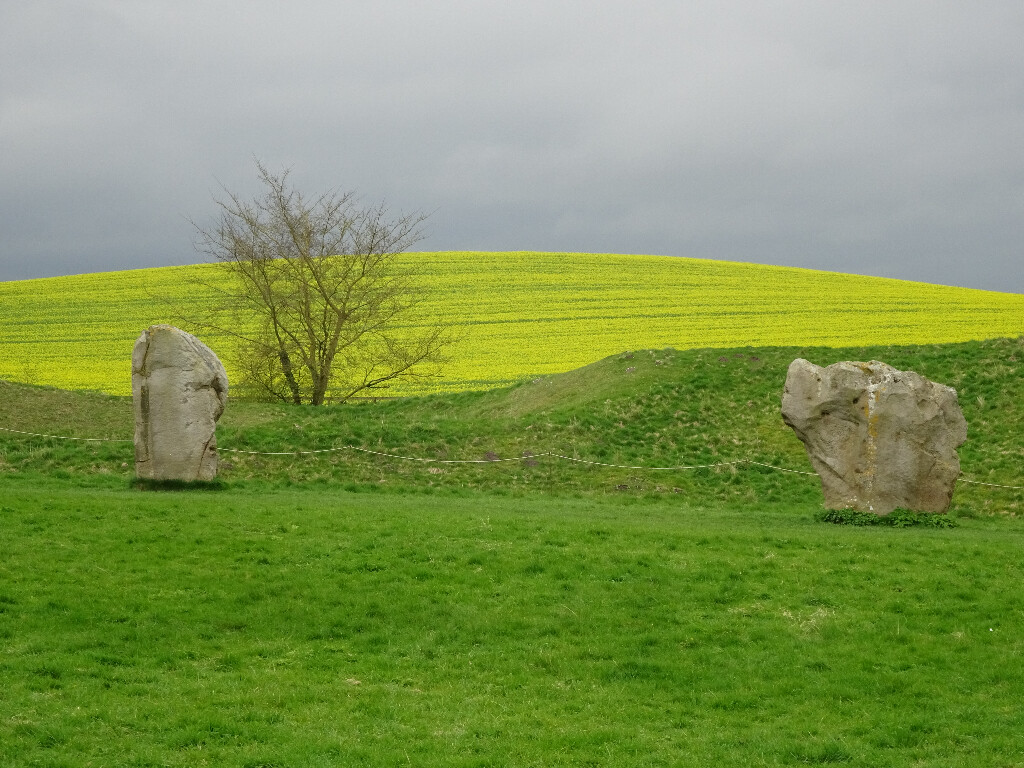
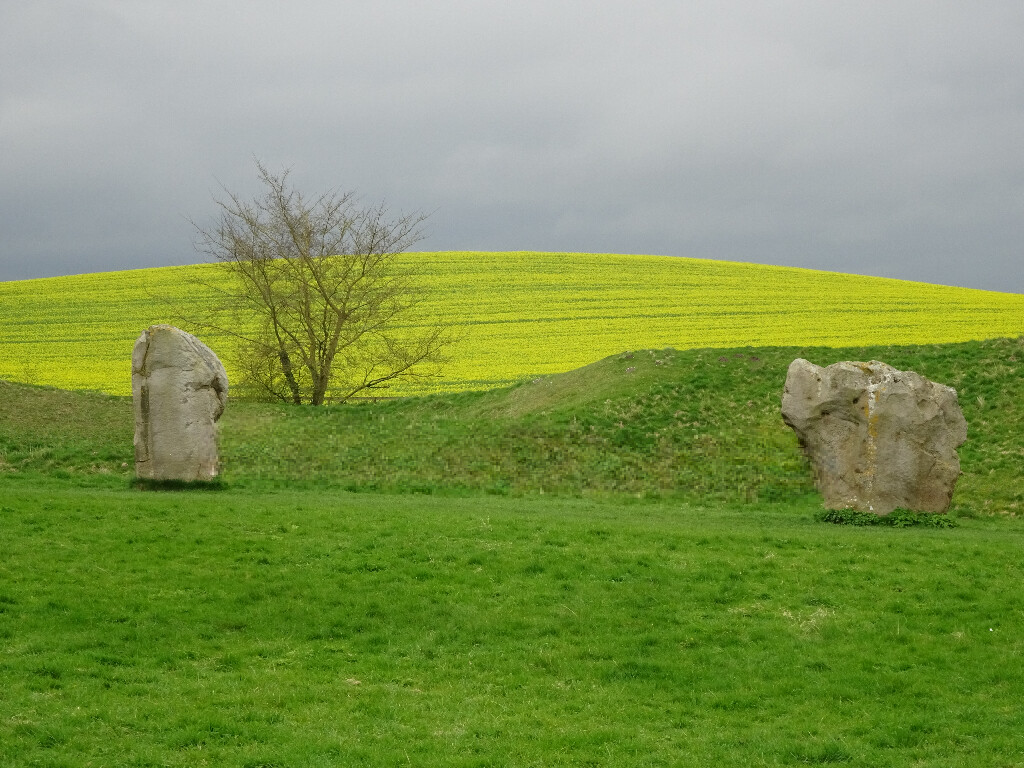
When I went back to the full-resolution image, the tool was able to understand the object much better. The rope was detected more accurately and the final edit worked as expected.
So, while downscaling might seem like a good way to speed things up, it is often better to process the full-size image first and only resize afterwards. Let the AI do its work with the maximum amount of detail available, then export or downscale the finished result to the size you actually need.